The Tears of the Sea • Concept 2026
An album cover that breathes underwater
- Role
- Art direction, Motion, Web
- Timeline
- September 2026, three days
- Team
- Solo, with AI agents
- Tools
- Magnific (Wan 3.0, Aleph 2), Claude Design, Claude Code, Python, OpenCV, ffmpeg, Vercel
- Live
- Visit project ↗
- Versions published before the one that stuck
- 21
- Loop length, with the last frame flowing into the first
- 17.8 s
- Master video for every screen size
- 1
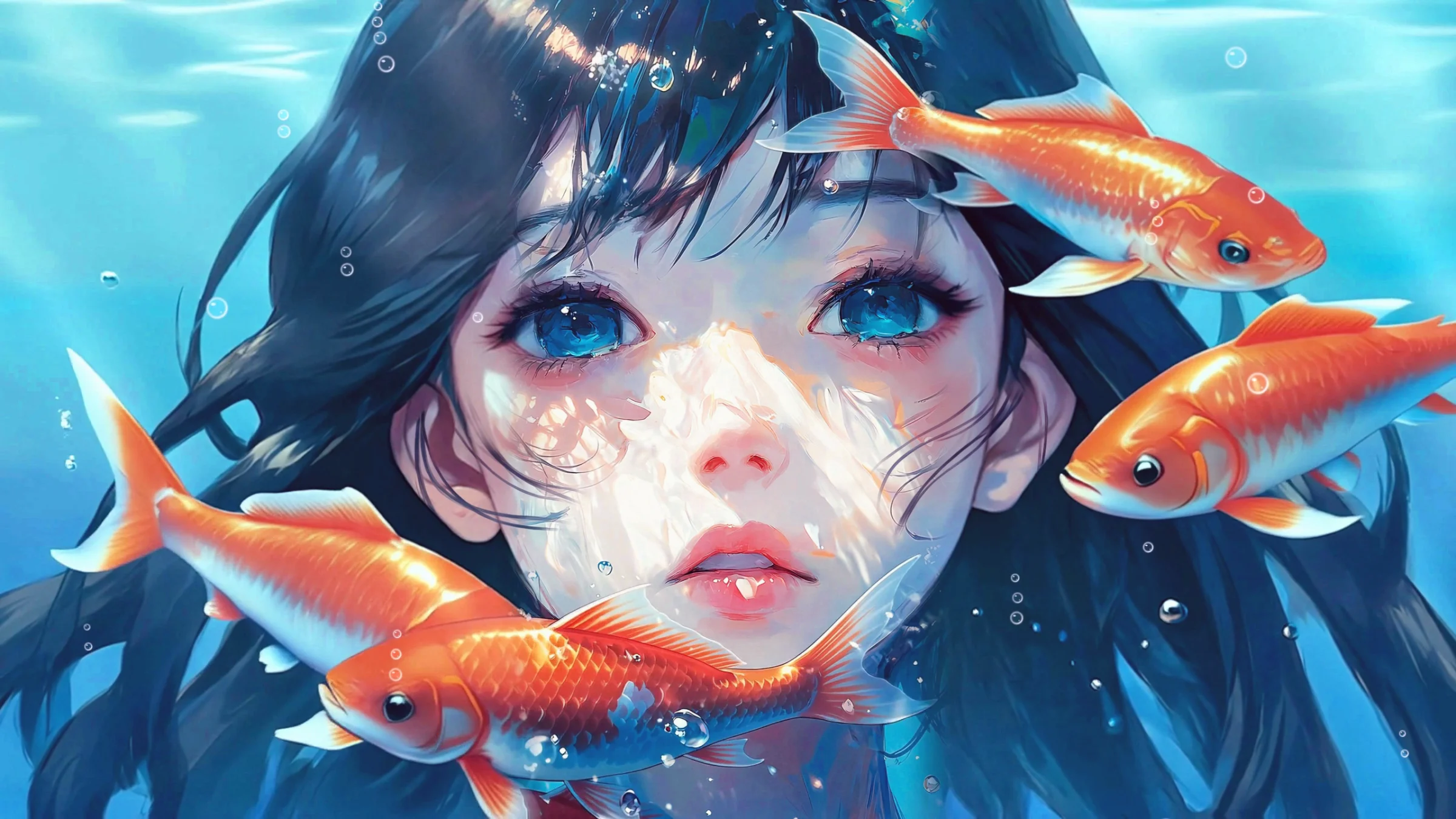
The Tears of the Sea is an unofficial concept site for a beat tape by Mabisyo. The album cover plays at the top of the page as a loop you can't find the start of. It's live, and it's a fan project, not affiliated with the artist.
I art directed it and made every call on what looked wrong. AI video models made the motion, Claude built the page with me, and Claude Code wrote the Python that cleaned up the video. Worth a look if you're curious how far AI video can go before it stops looking like a painting.
Overview
I wanted the cover to move and still look painted.
The Tears of the Sea is a beat tape from Mabisyo, a producer in Chile, and its cover already looks like a still from a film: a girl underwater, eyes open, koi drifting through her hair. I wanted to see it move.
The rule I set was that it had to still read as the painting, not as an AI video. Slow motion, nothing that pops in or out, and a loop with no visible seam.
Process
I widened the painting instead of cropping her face.
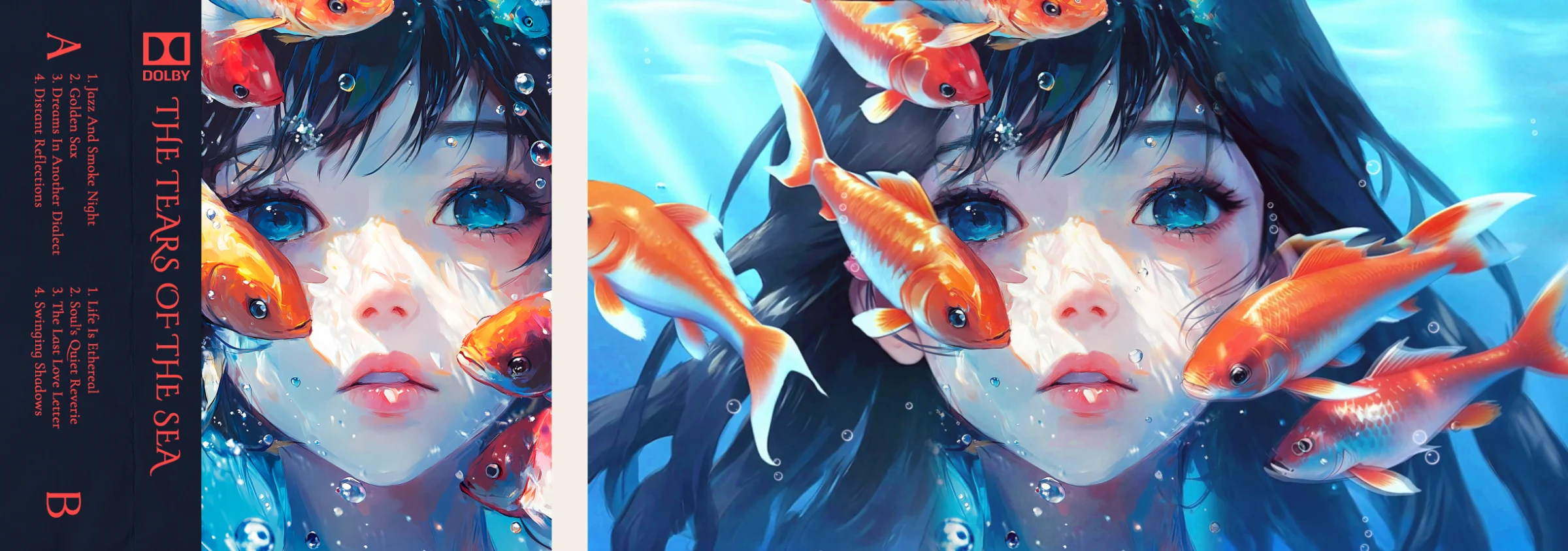
The cover is square and a laptop screen isn't. Cropping it to fit cut through her face, so I had an AI model paint more water on both sides and kept the original portrait in the middle.
That's where most of the work went. The painted sides had koi that faded out of nowhere, hair that stopped at an invisible line, and strands floating on her cheeks. I went through the loop frame by frame and flagged what looked wrong, and Claude Code wrote OpenCV passes for each fix: koi that swim behind her hair instead of vanishing, strands connected back to the hair, and hair sway and bubbles timed to the loop so nothing jumps when it restarts.
Process
Every screen plays the same video, cropped, never re-rendered.
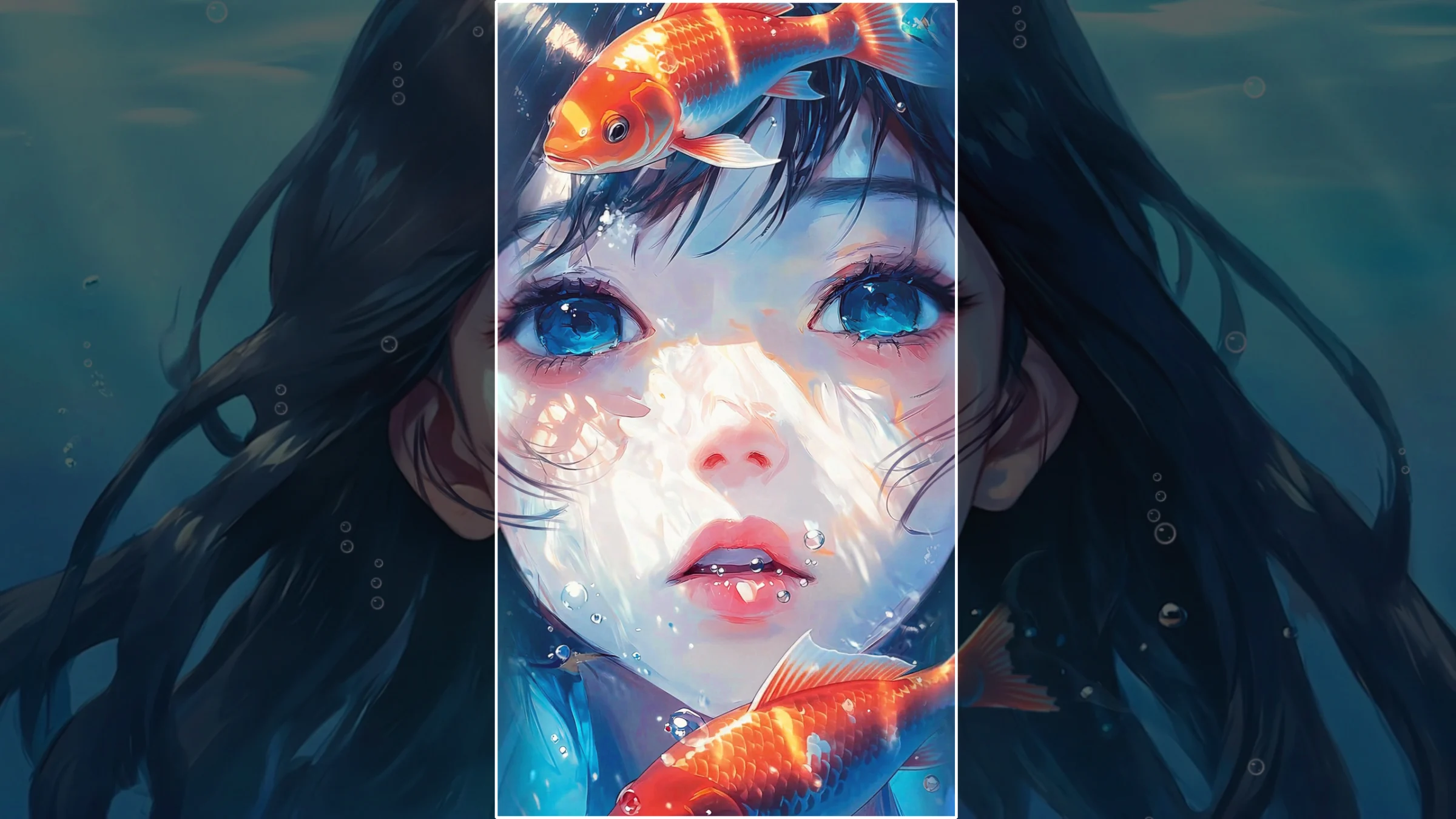
At one point phones got their own tall version, rendered separately, and the koi came out in a different style. I didn't like the piece changing depending on your screen, so I threw that version out. Now there's one master video, and a phone gets a straight crop of its middle.
The page picks the wide or tall cut from the shape of the hero, and AV1 where the browser can play it, which keeps every file under 13 MB.
Reflection
Next time I'd pick the final frame size before animating anything.
Almost every glitch lived where the original painting met the painted sides, because I animated the square cover first and widened it after. Deciding on the wide frame up front would have saved most of those fixes. There are still faint koi shadows along those two edges, and that's the next thing I'm fixing.
It's a playground piece, so it stays rough in places. The whole page is live, with every track linked to Bandcamp.